 By
By 
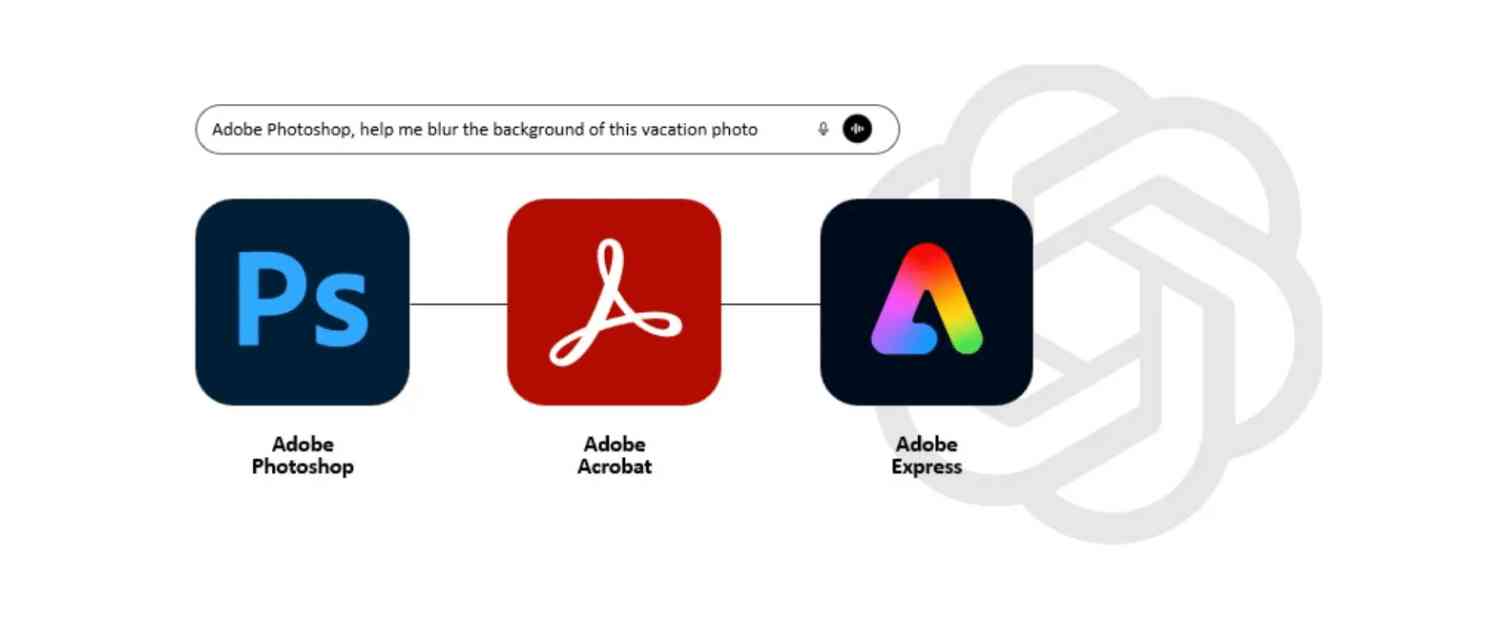
In a landmark move poised to reshape the way millions of people edit images, design graphics, and manage documents, Adobe has officially brought Photoshop, Adobe Express, and Acrobat directly into ChatGPT. Announced on Wednesday, the integration positions Adobe among a growing roster of major platforms now accessible within OpenAI’s rapidly expanding ecosystem of ChatGPT apps.
This development means users can perform a wide range of tasks within Adobe’s creative and productivity tools—without ever leaving the ChatGPT interface or opening the standalone applications. From generating designs and fine-tuning photos to editing PDFs, everything is now just a prompt away.
The announcement follows OpenAI’s reveal of ChatGPT apps at DevDay 2025, where early partners such as Canva, Coursera, Figma, Booking.com, Expedia, Google Drive, Spotify, and Zillow were introduced. Adobe’s arrival marks one of the most significant integrations yet, bridging premium creative tools with mainstream conversational AI.
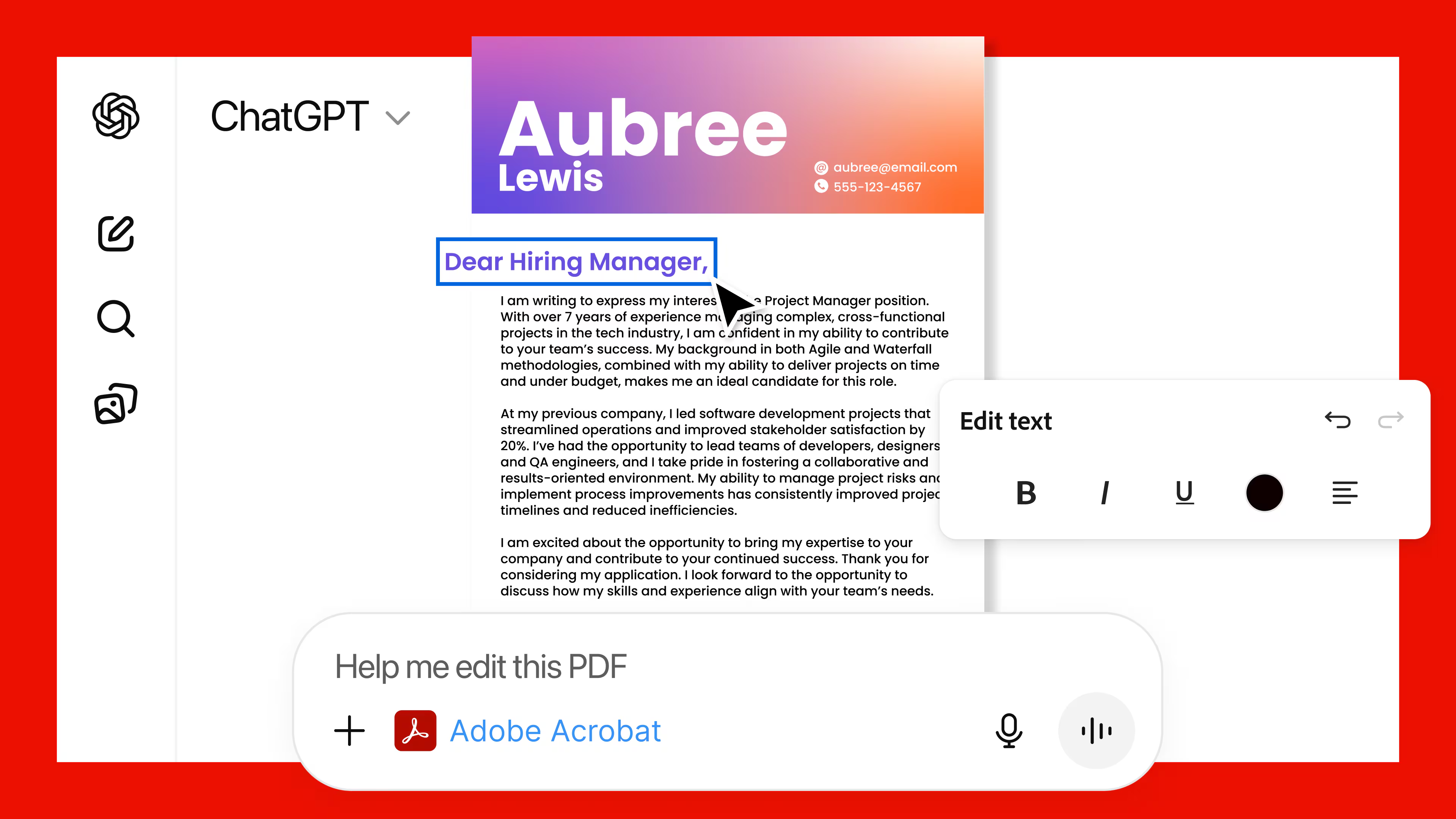
Adobe Brings Creative Power to ChatGPT
In its newsroom post, Adobe confirmed that Photoshop, Adobe Express, and Acrobat can now be accessed from within ChatGPT using agentic capabilities—special connectors that let the chatbot communicate directly with Adobe platforms. Crucially, all interactions remain fully permission-based, meaning only users who authenticate their Adobe account can access its capabilities within the chatbot.
David Wadhwani, Adobe’s president of digital media, described the move as a natural evolution of creativity and AI converging:
“We're thrilled to bring Photoshop, Adobe Express and Acrobat directly into ChatGPT, combining our creative innovations with the ease of ChatGPT to make creativity accessible for everyone. Now hundreds of millions of people can edit with Photoshop simply by using their own words, right inside a platform that's already part of their day-to-day.”
Adobe also clarified that this integration is available to all ChatGPT users—including those on the free tier. For now, the apps are accessible on ChatGPT’s desktop, web, and iOS platforms. Android users can currently access only Adobe Express, with Photoshop and Acrobat support set to arrive later.
What Users Can Now Do Inside ChatGPT
Photoshop for ChatGPT: Edit Images Through Conversation
Photoshop’s integration offers both basic and advanced editing options powered entirely by natural language prompts. Users can:
-
Modify specific areas of an image
-
Adjust brightness, contrast, and exposure
-
Remove or blur backgrounds
-
Apply artistic effects
-
Fine-tune adjustments using sliders after the initial edit
Adobe explains the value simply: users can now edit photos “just by describing what you want in your own words.”
Adobe Express for ChatGPT: Quick Designs, Templates, and Animations
Adobe Express brings an expanded creative toolkit to the conversation. ChatGPT can:
-
Browse Express’ extensive template library
-
Create themed graphics
-
Fill in text with context-relevant details
-
Replace images or backgrounds
-
Animate design elements
-
Edit or iterate existing designs
This allows anyone—from social media creators to small business owners—to produce designs for posts, invitations, posters, and simple animations without needing to work inside a full editor.
Acrobat for ChatGPT: PDF Editing and File Management
The Acrobat integration makes handling documents easier than ever. Users can:
-
Upload and directly edit PDFs within the chat
-
Preserve formatting while making changes
-
Extract text or tables
-
Merge multiple documents
-
Convert files to and from PDF
-
Compress large PDFs
If a task requires more advanced functionality, users can seamlessly switch from ChatGPT into the full Acrobat application to continue working.
Available Globally—With a Few Exceptions
The rollout of Adobe’s ChatGPT integrations is global and free for all ChatGPT users. However, there are notable exceptions. Apps SDK support is not currently available in the United Kingdom or EU member countries, meaning users in those regions will need to wait for access.
Adobe emphasized that the launch brings its “category-defining apps” to ChatGPT’s audience of more than 800 million users worldwide. While content edited or created inside ChatGPT using Adobe’s tools will not be automatically saved to users’ Creative Cloud or Acrobat accounts, it can be exported or downloaded through ChatGPT.
To get started, ChatGPT users simply begin their prompt with:
-
“Adobe Photoshop”
-
“Adobe Express”
-
“Adobe Acrobat”
Users who want to access Express or Acrobat features will be prompted to sign in or create an Adobe account. Photoshop’s core features can be used without logging into Adobe.
How to Connect Adobe Tools Inside ChatGPT
Getting started is simple:
-
Open ChatGPT and navigate to Settings.
-
Go to Apps & Connectors.
-
Select Adobe Photoshop, Adobe Express, or Adobe Acrobat.
-
Click Connect, then confirm the permission in the pop-up window.
-
Once connected, type a command such as /AdobePhotoshop, /AdobeExpress, or /AdobeAcrobat followed by your request.
For example:
“/AdobeAcrobat, help me edit my PDF.”
Adobe’s Recommended Prompting Tips
To help users get the best results, Adobe shared specific suggestions:
-
Be clear, explicit, and descriptive
-
Include what you do not want when results look incorrect
-
Add more detail to refine outcomes
-
Break large tasks into smaller prompts
-
Begin with visuals, then refine text and other small elements
These guidelines mirror Adobe’s broader push to make AI-driven creativity more intuitive for all skill levels.
A Year of AI Advances for Adobe
This integration builds on Adobe’s rapid AI expansion throughout the year. The company recently launched AI assistants for Photoshop and Express and unveiled a preview of a cross-app assistant called Project Moonlight. Meanwhile, OpenAI has been steadily expanding its third-party app support, introducing platforms such as Canva, Figma, Coursera, Spotify, Expedia, Booking.com, Peloton, Tripadvisor, Zillow, and Instacart.
Together, these advancements contribute to OpenAI’s larger vision of transforming ChatGPT into an “everything app” capable of managing workflows across creativity, productivity, travel, learning, and more.
Adobe, for its part, has consistently emphasized its advantage in the AI space: its Firefly models are trained on commercially safe and licensed datasets. This contrasts directly with other AI platforms—including OpenAI—currently facing multiple copyright-related lawsuits. The partnership between Adobe and OpenAI has therefore raised questions about how each company will manage content ownership and data privacy.
Adobe addressed the issue directly:
OpenAI users are governed by their agreement with OpenAI, and Adobe does not use customer data from ChatGPT integrations to train its AI models. Users can opt out of OpenAI’s training by navigating to the privacy section and selecting “do not train on my content.”
Why Adobe Is Integrating Into ChatGPT
Adobe reports that Acrobat and Adobe Express alone have more than 700 million monthly active users worldwide. The company believes that offering its tools inside ChatGPT will increase engagement—not reduce it.
As Adobe explained:
“Bringing Photoshop, Adobe Express and Acrobat into chat lets people try our apps on a platform they already use, and when they want more power, precision and control, it’s seamless to move into our native apps.”
This strategy reflects a broader shift in software usage patterns. Users increasingly want powerful tools available wherever they are working, whether that is inside an app, a browser, or now, a conversational AI interface.
What You Can Do With Each Adobe App Inside ChatGPT
Photoshop Tasks
With Photoshop for ChatGPT, users can:
-
Enhance photo quality
-
Edit specific portions of an image
-
Control exposure and parameters
-
Refine backgrounds
-
Apply creative effects like Glow or Glitch
-
Preserve original image quality while modifying elements
Adobe Express Tasks
Through Adobe Express for ChatGPT, users can:
-
Create custom designs
-
Browse and apply professional templates
-
Modify text and imagery
-
Change or replace backgrounds
-
Add animation to designs
-
Edit existing layouts
Acrobat Tasks
Acrobat for ChatGPT enables users to:
-
Upload and edit PDFs
-
Merge files
-
Extract data including tables or large text passages
-
Compress or convert PDFs
-
Maintain original formatting
Adobe confirmed that even more capabilities will be added in the coming weeks.
A New Creative Future Inside ChatGPT
The integration of Photoshop, Adobe Express, and Acrobat into ChatGPT marks one of the strongest examples yet of AI becoming a universal interface for creativity and productivity. From global accessibility and free availability to seamless content editing, the partnership provides millions of users with unprecedented convenience.
As OpenAI continues to pursue its vision of an all-in-one platform and Adobe expands its AI-powered tools, the creative landscape is evolving into one where tasks once requiring robust software skills can now be performed simply by telling an AI what you want.
For designers, marketers, students, professionals, and casual creators alike, this collaboration offers a glimpse of a future where creativity is more accessible, intuitive, and conversational than ever before.
With inputs from agencies
Image Source: Multiple agencies
© Copyright 2025. All Rights Reserved. Powered by Vygr Media.