
 By

A massive global Microsoft outage has disrupted access to some of the world's most widely used workplace and productivity applications, leaving thousands of individuals, businesses and organisations struggling to carry out routine digital operations. Microsoft Outlook, Teams, Copilot and several other Microsoft 365 services have experienced connectivity issues, with users reporting problems accessing emails, loading applications and retrieving important work-related information.
The disruption, which began on Thursday, November 12, continued into Friday, November 13, 2026, raising concerns about the reliability of cloud-based workplace infrastructure. While Microsoft has been working to restore affected systems, its latest updates indicate that the initial recovery measures have not delivered the expected results.
The company is now exploring alternative solutions to improve infrastructure capacity and stabilise services. But what exactly caused the Microsoft outage, which applications are affected, and when can users expect normal operations to resume?
Here's everything you need to know.
Microsoft Outage: What Happened on November 13, 2026?
The Microsoft 365 outage has affected users across multiple regions, disrupting access to essential communication, collaboration and cloud-based productivity tools.
Among the most significantly affected services is Microsoft Outlook, with users experiencing difficulties opening their inboxes, accessing Exchange Online mailboxes, and sending or receiving emails. Microsoft Teams and Copilot have also experienced disruptions, although the extent of the impact varies depending on the features users are trying to access.
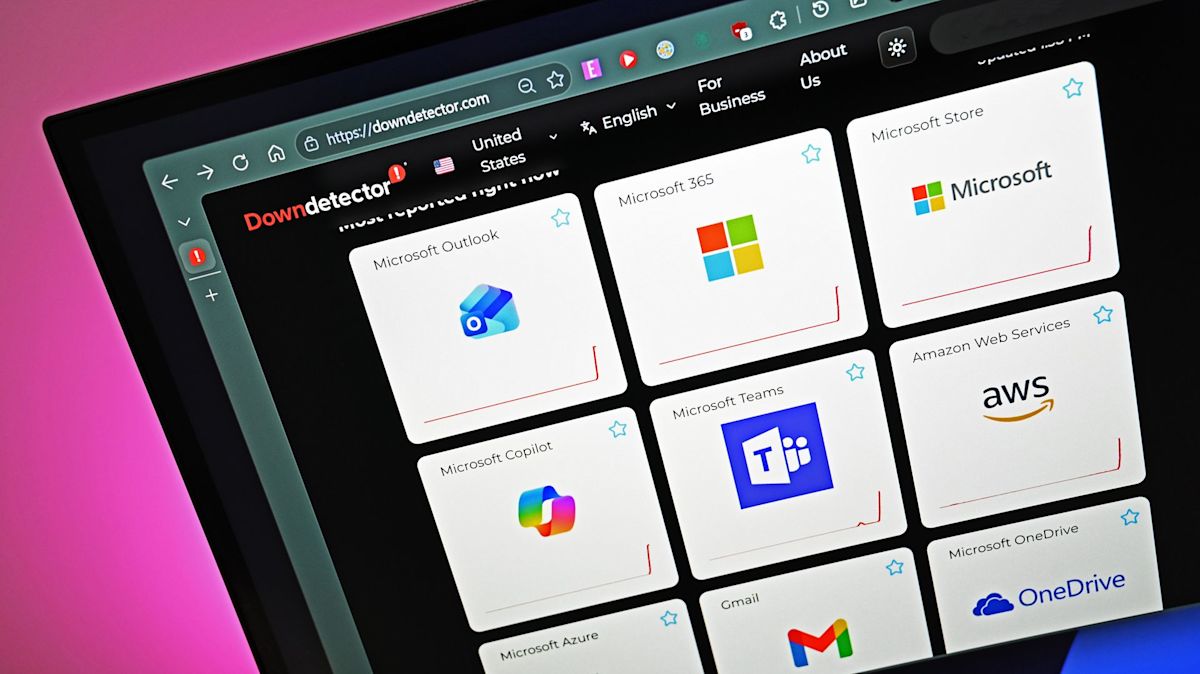
According to outage-tracking platform Downdetector, reports of Outlook-related problems surged dramatically during the incident. At the peak, approximately 138,000 users reported issues around 1:30 am on Friday. The number subsequently declined, although thousands of users continued reporting difficulties.
The disruption has also affected organisations that depend on Microsoft's cloud infrastructure for everyday operations. For businesses, educational institutions and government departments, even temporary interruptions to email and collaboration services can delay communication, meetings, customer support and essential administrative work.
Importantly, the incident is not limited to Outlook. Several interconnected Microsoft 365 services have also experienced problems because of their dependence on shared infrastructure.
What Caused the Global Microsoft Outage?
Microsoft's investigation has pointed towards infrastructure-related problems involving server availability and the processes responsible for establishing secure connections.
Initially, the company identified elevated load across parts of its infrastructure as a major contributor to the connectivity problems. However, subsequent investigations revealed that the issue was not necessarily caused by an unexpected surge in overall user traffic.
Instead, several servers had unexpectedly become unavailable after failing automated health checks. As a result, additional traffic was redirected towards the remaining operational infrastructure, increasing the pressure on those systems.
Microsoft also identified a process responsible for establishing secure connections on affected servers as a key factor behind the disruption. According to the company's investigation, this process became overwhelmed, preventing the affected servers from processing incoming requests properly.
This created a cascading problem: fewer available servers had to manage the incoming connections, while the remaining infrastructure struggled to maintain normal service levels.
Microsoft also began examining a recent network configuration change that coincided with the beginning of the disruption. The company initiated steps to reverse that change while investigating whether it had contributed to the incident.
The findings suggest that the Microsoft 365 outage is primarily an infrastructure and service availability issue rather than a simple application malfunction.
Which Microsoft Services Are Affected by the Outage?
The disruption has extended across several Microsoft products and services, particularly those that depend on Exchange Online and related email infrastructure.
Here's a breakdown of the major affected platforms:
1. Microsoft Outlook and Exchange Online
Outlook has been among the most visibly affected services. Users have reported problems accessing their mailboxes through the web version, desktop application and mobile connections.
Some users have also experienced delayed email delivery, difficulties loading inboxes and interruptions when trying to send or receive messages.
Since Exchange Online supports Microsoft's cloud-based email infrastructure, the disruption has affected multiple applications and services that rely on it.
2. Microsoft Teams
Microsoft Teams has also experienced disruptions, although its core functionality has remained largely operational for many users.
Messaging, channel conversations and joining meetings have continued to work in several scenarios. However, features dependent on Exchange Online, including calendar access, meeting scheduling, invitations and certain organisational chat functions, have been affected.
3. Microsoft Copilot
Microsoft Copilot has experienced problems loading Copilot Chat and generating responses through its web and desktop applications.
Users have also encountered difficulties accessing work-related information through Copilot, particularly when the AI assistant attempts to retrieve emails, calendars or files stored within Microsoft 365.
4. Other Microsoft 365 Applications
The disruption has extended to several additional services, including:
-
SharePoint Online
-
Microsoft Planner
-
Microsoft To Do
-
Microsoft Defender
-
Microsoft Purview
-
Microsoft Graph
-
Microsoft Fabric
-
Power BI
-
Windows 365
-
Universal Print
-
Microsoft Intune
Certain Microsoft 365 Education features, including Assignments, Reading Progress and Speaker Progress, have also been affected.
However, not every feature across these applications is necessarily unavailable. Microsoft has clarified that services and functions that do not depend on Exchange Online may continue operating normally.

Microsoft Outage Also Impacts OpenAI and Anthropic Services
One of the more significant aspects of the disruption is its impact beyond Microsoft's own ecosystem.
The outage has affected third-party platforms that rely on Microsoft 365 connectors to access organisational information and provide integrated services.
OpenAI reported issues with its Microsoft connectors, potentially preventing users from establishing new connections and causing certain connected tools to malfunction.
Anthropic also identified an upstream provider issue affecting its Microsoft 365 connector.
These disruptions highlight how interconnected modern cloud-based services have become. Applications that appear to operate independently may still depend on shared infrastructure, authentication systems, APIs and cloud connectivity provided by other technology companies.
Consequently, an infrastructure failure at one major technology provider can create operational problems across multiple platforms.
Microsoft Says Its Initial Fixes Are Not Working as Expected
Microsoft has been implementing several recovery measures to restore affected infrastructure and improve service availability.
Its engineering teams have been working on scaling up virtual machines, increasing available capacity and restarting affected servers. The company has also attempted to synchronise recent network changes on machines that became stuck in a faulty state.
Other recovery measures include adjusting traffic protocols, redistributing traffic through alternative routes, temporarily restricting connections in certain locations and gradually returning stable servers to service.
However, the recovery process has encountered additional complications.
In its November 13 update, Microsoft acknowledged that the changes applied to improve serviceability were not producing the expected results. The company confirmed that it was identifying alternative approaches to increase capacity and address continuing traffic-management imbalances.
Although some regions have experienced partial recovery, the improvements have not been sufficiently consistent to guarantee stable service availability.
This means users may continue experiencing intermittent connectivity problems even if certain Microsoft applications appear to be working again.
When Will Microsoft Services Be Restored?
As of November 13, Microsoft has not provided a confirmed timeline for the complete restoration of all affected services.
The company continues to monitor infrastructure performance, investigate the underlying technical issues and implement alternative recovery measures.
While portions of the affected infrastructure have shown signs of improvement, the unsuccessful initial adjustments have complicated the restoration process.
For now, users should expect that service availability may vary depending on their location, application and the specific Microsoft 365 functionality they are attempting to access.
Microsoft has advised administrators to follow incident updates through the Microsoft 365 admin centre. Users who cannot access the admin centre can also check the official Microsoft service status website for information about ongoing disruptions.
What Should Users Do If Outlook or Microsoft 365 Is Not Working?
If you're experiencing problems with Outlook, Teams or other Microsoft applications, there are a few practical steps you can take while Microsoft works on restoring its infrastructure.
1. Check Microsoft's service status: Visit the official Microsoft service status page or contact your organisation's IT administrator to confirm whether the problem is related to the ongoing outage.
2. Avoid repeatedly changing account settings: If the issue originates from Microsoft's infrastructure, changing passwords, reinstalling applications or modifying account configurations is unlikely to resolve it.
3. Try alternative access methods: If Outlook desktop is unavailable, you can try accessing Outlook through a web browser or mobile application. However, these alternatives may also be affected because they rely on the same underlying services.
4. Use alternative communication channels: For urgent work-related communication, consider using approved alternative platforms, phone calls or other available communication methods.
5. Save important work locally: If cloud-based applications are responding intermittently, save essential documents and work locally whenever possible to minimise the risk of losing unsaved changes.
6. Wait for official recovery updates: Avoid assuming that the issue has been completely resolved simply because an application starts working again. Intermittent recovery can occur while Microsoft continues stabilising its infrastructure.
Microsoft Outage Highlights the Risks of Cloud Dependency
The latest Microsoft outage is another reminder of how heavily modern workplaces depend on centralised cloud infrastructure.
From corporate emails and virtual meetings to AI-powered productivity tools and document management systems, Microsoft 365 has become an integral part of everyday business operations.
However, when the underlying infrastructure experiences problems, the consequences can extend far beyond a single application. The disruption affecting Outlook, Teams, Copilot and third-party Microsoft 365 connectors demonstrates how interconnected digital ecosystems can amplify the impact of technical failures.
For organisations, the incident also reinforces the importance of having backup communication channels, business continuity plans and alternative access arrangements.
As Microsoft continues its recovery efforts, users worldwide will be watching closely for updates on service availability and a clearer restoration timeline.
For now, the Microsoft outage remains an evolving situation, and complete recovery will depend on the company's ability to stabilise affected servers, restore infrastructure capacity and ensure that services can handle normal traffic without further disruptions.
© Copyright 2026. All Rights Reserved. Powered by Vygr Media.